
 MENU
MENUPractice
A quiet place to test answers. Search the whole prompt bank, type anything, and see the tier and points it would get in a real mission.
What it is
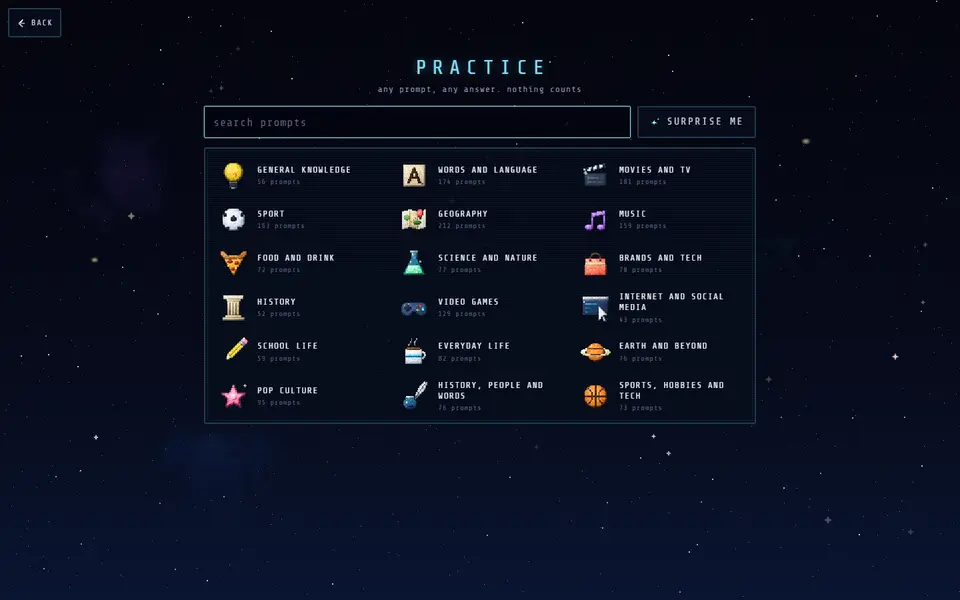
Practice shows every prompt a player can be dealt, grouped by topic, with a search box and a SURPRISE ME key for a random one. Pick a prompt, type an answer, and you see what it would score: its tier, its points, and for a Supernova the fact that comes with it. Try as many answers as you like. Nothing is stored and nothing counts towards anything.
How it works
Answers are judged by the same checker as a real mission, so spelling slips, alternative names and surnames behave the same way (the rules explain how). One difference: Practice only uses the answer lists. An answer that isn't listed simply shows as not found, without the AI check that real missions use. The lists themselves are never shown, only the result for what you typed, so it can't be used to read off the rare answers.
Finding a prompt
The search box matches any part of a prompt's text, so typing “river” brings up every river prompt in the game, and typing a country finds the prompts about it. Each topic also shows how many prompts it holds; tap one to browse the lot. If you just want to play, SURPRISE ME deals a random prompt from any topic, and you can keep going one after another. Answering a few prompts this way before a game is a good way to learn what Liftoff looks like on a topic, which tells you which answers to avoid when it counts.
Who it's for
- Curious players settling an argument: is “Weser” really an Interstellar river?
- Pupils revising a topic and checking which answers they know are right.
- Hosts warming up before a party.
When you're ready to play for real, start a themed mission or join Open Orbit.